TL;DR
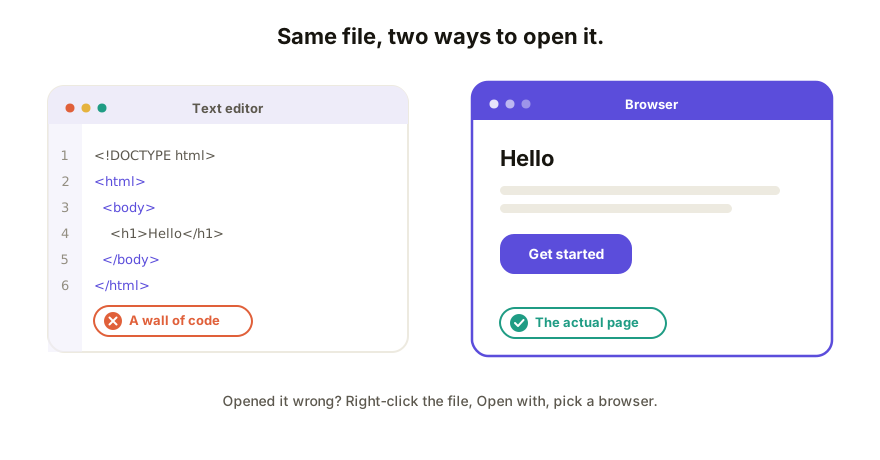
Double-click the file and it opens in your web browser as a normal page. If it opens as a wall of code instead, you opened it in a text editor by mistake. Right-click the file, choose Open with, and pick a browser like Chrome or Safari. On a phone, loose HTML files are awkward; the reliable fix is to put the page online so it has a link.
On a Mac
- Open Finder and go to your Downloads folder (that's where AI tools usually save).
- Find the file ending in
.html. - Double-click it. It opens in Safari, or whatever your default browser is.
- Want a specific browser? Right-click → Open With → Chrome, Firefox, etc.
If double-clicking opens a code editor, see the troubleshooting section below.
On Windows
- Open File Explorer and go to Downloads.
- Find the
.htmlfile. - Double-click it to open in Edge or your default browser.
- To use a different browser: right-click → Open with → pick the browser.
On a phone or tablet
This is the one that frustrates people, so the honest answer first: phones aren't built to open loose files, and an HTML file is a loose file. You can sometimes tap it in your Files app and get a "preview," but images often break and anything interactive may not work.
If you need it on a phone, yours or someone else's, don't fight the file. Put the page online so it becomes a link, then just open the link. Any phone opens a link without complaint. (A tool like Coedit does this in a couple of clicks and keeps the images working; more below.)
Where the file is, by tool
- Claude: artifacts download as an
.htmlfile, usually to Downloads. Some you save manually from the artifact panel. - ChatGPT (canvas): copy the content or export it to an
.htmlfile, then open that file the same way. - Gemini: when it builds an app, you can save or export the page as a file and open it in your browser.
However it got onto your computer, an .html file opens the same way: in a browser.
Troubleshooting
It opened as code, not a page. You opened it in a text editor (Notepad, TextEdit, VS Code). Right-click the file → Open with → choose a browser. Nothing's wrong with the file.
Nothing happens when I double-click. Your computer may not have a default browser set for .html. Right-click → Open with → Choose another app → pick a browser, and tick "always use this app" if it's offered.
The page opens but images are missing. The images live next to the file, not inside it, so they only show on the machine they were created on. To make a version where images always show, host the page at a link or paste it into a tool that stores the images with it.
The address bar shows file:///…. That's normal. It means you're viewing the page straight from your computer rather than from the internet. It works for you locally, but it's also why the file is hard to share: nobody else has that file at that location.
How Coedit fits
Opening the file locally only gets you halfway: it works for you, but nobody else can reach a file that lives on your machine. If the whole point was to send it to someone, Coedit puts that same page online at a link instead: paste the HTML or upload the file, and anyone can open it in a browser or on a phone, images intact, no account or download. From there you can also collect comments and fix the wording without going back to the AI. It doesn't build the page; it makes the page you already have openable by everyone, not just you.
FAQ
Q: Why does my HTML file open as code instead of a web page? A: It opened in a text editor rather than a browser. Right-click the file, choose Open with, and select a browser. The file is fine.
Q: How do I open an HTML file on my iPhone or Android? A: Loose HTML files barely work on phones. Put the page online so it has a link, then open the link. That works on any phone instantly.
Q: Can I open the file without downloading anything? A: Yes. Every computer already has a web browser, which is all you need. No extra software.